
You’ve scanned all your photos and videos to digital format, but what is the best long-term storage for your digital memories? Photo scanning and transferring vhs to dvd or a hard drive are good options, but when it comes to ensuring your files are safe for the long-term, here is what we recommend:
1. Duplicate – Create a back-up (or two)
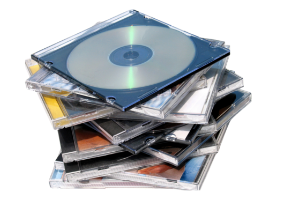
- If you are storing your digital memories on a disc (CD, DVD, or Blu-Ray), make sure you have more than one copy of the disc(s). A DVD stored under optimal conditions can last 25 years or more. However, discs are easy to scratch and improper handling can cause the DVD to deteriorate sooner.
- Consider purchasing a copy of your disc(s) on gold archival media or M-Discs. The reflective layer on a gold disc is made out of 24-karat gold making these discs more stable and scratch-resistant than everyday discs. Creating the M-Discs with a special burner etches the data into a rock-like material. Gold archival discs last 100-300 years guaranteed and M-Discs can last up to 1000 years. Both are used widely by professional archivists for long-term storage.
- You can further back-up the data on your disc(s) by copying the files from the disc to your computer. That way, if you need to make a replacement disc, you have the data.
- If your digital memories are on a drive and not a disc, copy the files to your computer and to at least one additional external drive. External hard-drives are more stable than flash drives for long-term storage. The main purpose for flash drives is to transfer files rather than to store them. Flash drives do not usually come with a warranty, they are easy to lose, and degrade due to frequent usage. The more you add and replace data, the quicker the memory on the drive starts to degrade. Hard drives can be warrantied for 1-5 years, are more stable and hardy, but can likewise get damaged, lost or become corrupted from improper use. Both are easily corrupted if not “ejected” or “safely removed” from the computer before physically removing them. The key to drive storage is to back-up your digital memories on two or more drives.
2. Separate – Store in more than one location
- Store the backup of your digital files in a different location than your original digital copy (e.g. with a family member, in a safety deposit box, etc).
- Should you backup to the cloud? There are several excellent cloud storage services. They are an option as you look for a way to store a copy of your digital memories in a separate location. However, we recommend using the cloud only in conjunction with a second, local backup of your digital files. Using the cloud as your only storage location is risky because cloud storage services can be discontinued. Many services do not allow you to easily download data. Some only allow you to download a lower resolution version of the cloud files. You also have to consider the recurring fees associated with cloud storage services.
3. Migrate – Check & update every 5 years
Archivists recommend checking your data every 5 years to see whether you need to migrate the digital files to new storage media or convert to a more contemporary file format.
No matter how you decide to save your memories, visit Memories to Digital for all of your preservation needs! Whether it’s 8mm to DVD, slides to digital, photo scanning or film transfer, Memories to Digital can help with whatever you need! Visit your nearest location today!